
Dialog “Create Review”
A review is created directly under the element. There are different views to get an overview of the existing reviews.
The dialog can be opened:
- using the context menu of an item with the Create Review command.
The dialog
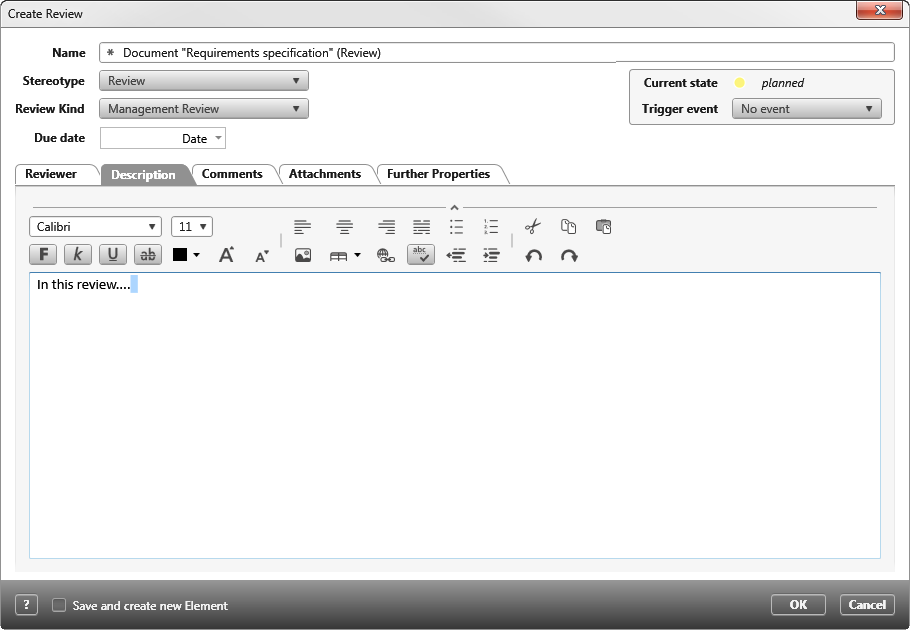
Name Name of the review
Stereotype Select a suitable stereotype from the dropdown list. The stereotype determines whether and which values are displayed on the Further Properties tab. By default, the stereotype <<Review>> is selected.
Review Kind Select a suitable review type from the dropdown list.
Due Date Date by which the review is to be completed. Enter the date using the calendar.
Tab „Reviewer“
You use the plus button to assign the employees responsible for performing the review. The Delete button allows you to remove the employees again. If an assignment exists, you can see which project team members have been assigned to the review as well as the status and comments entered for the individual reviewers.
Tab „Description“
Here you can enter a description of the review.
Tab „Comments“
Here you can see which comments the individual reviewers have entered.
Tab „Attachments“
The Plus button allows you to use files (such as images, documents, etc.) to describe the review in more detail.
Tab „Further Properties“
If user-defined properties have been created in the properties dialog of the set stereotype, you can set or edit properties here.