
Dialog “Edit Specification”
A specification is a higher-level element and can be regarded as a container that contains requirements as child elements and maps its structure as a hierarchy.
The requirements that are to contain a specification are assigned in its specification view or in the Products window.
The dialog can be opened:
- via the context menu of a package with the Create/ Specification… command.
The dialog
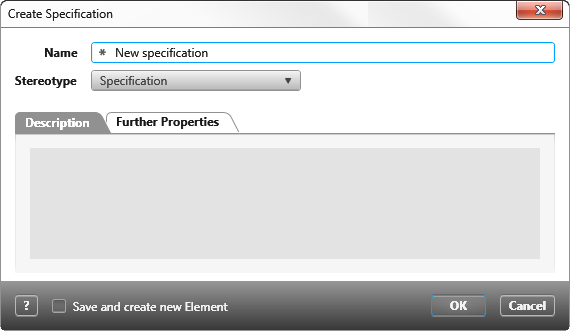
Name Enter the name of the specification here.
Stereotype Stereotype will be shown here. The default stereotype is Specification.
Good to know
If there is no suitable stereotype available, open the view stereotypes and create one under DomainElement/Specification
If there is no suitable stereotype available, open the view stereotypes and create one under DomainElement/Specification
Tab “Description”
Here you can enter a description of a specification.
Tab “Further Properties”
Here you can see user defined settings, if they have been created.