
Dialog “Create Class Diagram”
In a class diagram, you design classes, their attributes, and operations, and create relationships between classes. Use class diagrams to illustrate the structure of a system to be designed, its attributes and operations, and the relationships between them.
Class diagrams are created:
- from the context menu of a package using the Create diagram/Class Diagram command.
The dialog
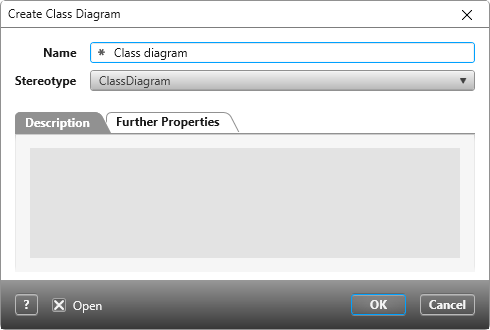
Name Give the diagram a name.
Stereotype Select the appropriate stereotype from the dropdown list. By default, ClassDiagram is preselected.
Tab “Description”
Here you can enter a detailed description.
Tab “Further Properties”
Depending on the set stereotypes, further setting options are offered here.