
Dialog “Create System Context Element”
A system context element represents a part of the system that is either inside or outside the system context.
The dialog can be opened:
- via the context menu of a package with the Create/ System Context Element command.
- In a context diagram using the Create System Context Element button.
The dialog
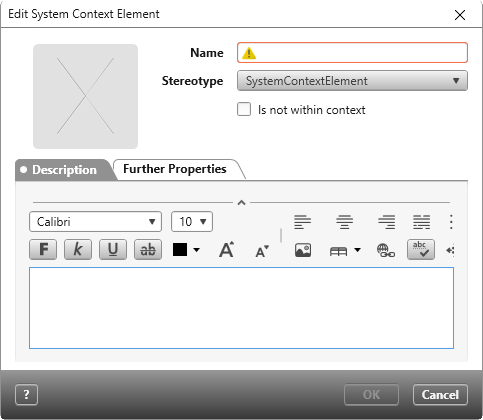
Name Name of the element.
Stereotype The default stereotype is SystemContextElement.
Is not within context Activate this checkbox to exclude the element from the system context. This indicates that the element is to be developed later or not at all. Excluded elements are marked grey in diagrams. You can undo this option in the course of the project if you notice that it is still part of the context.
Tab “Description”
Enter additional information here.
Tab “Further Properties”
Depending on the stereotype, additional information is displayed here.