
Create Dynamic Queries
For the context menu of packages, activities, and artifacts, you can specify a hierarchical query that can be opened using a command. The element (package, activity, artifact) on which the command is executed is automatically set as the context element. This means that a single query is sufficient, as it dynamically adapts to the selected element when opened.
Prerequisite – Create a Hierarchical Query
Create hierarchical querries that are to be used later via the context menu. The queries must be configured so that the query scope (of the hierarchical query) and the stereotype (via which the hierarchical query is opened) are of the same type (e.g., Package).
The assigned context elements in the hierarchical query are not taken into account when the query is opened via the context menu. This means that the same query can be opened and will always display different results.
If the query scope is set to All entities of packages or All entities of package hierarchies, the query can only be specified for the Package stereotype and its substereotypes.
If the query scope is set to All activities of activities or All activity hierarchies, the query can only be specified for the Activity stereotype and its substereotypes.
If the query scope is set to All entities of artifacts or All entities of artifact hierarchies, the query can only be specified for substereotypes of Artifact.
Specify a Hierarchical Query for the Stereotype
You can specify hierarchical queries for the Package, Activity and Artifact stereotypes. The following describes the procedure for Package.
- Open the Stereotypes window via the vertical functional bar.
- Open the context menu of Package, select the Properties command, and switch to the Hierarchical Queries tab.
- Click the Plus button under Hierarchical Queries.
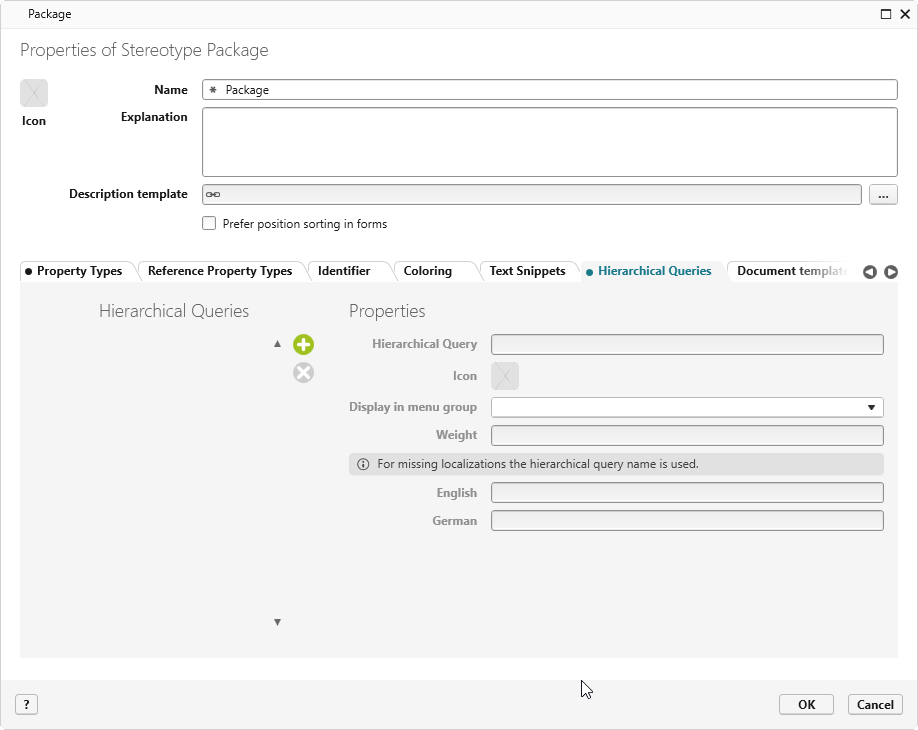
- In the subsequent dialog, select the hierarchical query that you want to provide.
The hierarchical query is listed on the left under Hierarchical Queries. The name of the hierarchical query is entered on the right under Properties in the read-only Hierarchical Query field.
- Specify an icon. (This action is optional.) To do so, click the gray area next to Icon.
- Under Show in menu group, select the context menu group in which the command is to be offered. If desired, you can also enter a weight.
- Under English | German, enter the text that is to appear as the context menu command. If nothing is entered, the name of the query appears in the context menu.
- Repeat steps 3 to 7 if you want to provide additional hierarchical queries.
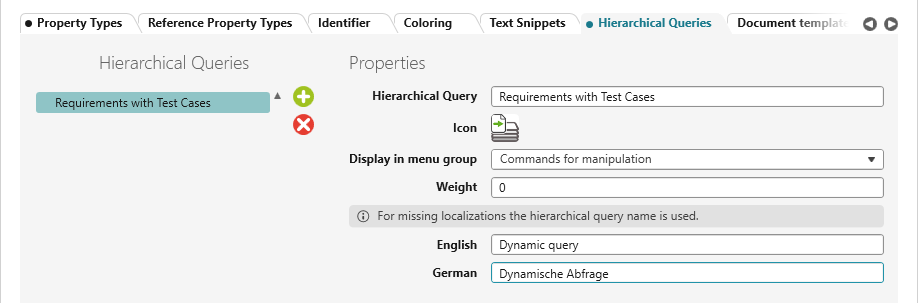
- Save.
Open a Hierarchical Query
If one or more hierarchical queries are specified for the Package, Activity, and/or Artifact element types, they are offered as commands in the respective context menu group via the context menu.
As soon as you click the command, the hierarchical query opens as usual in the center area of the screen. What the query displays now always depends on the element on which the context menu command was executed.
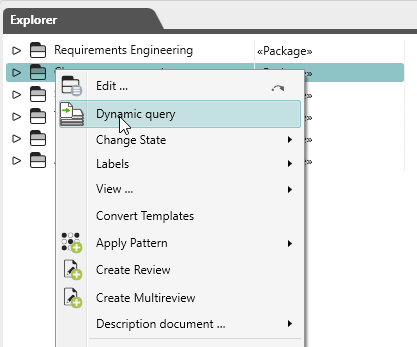
For a clearer overview, the name of the package, activity, or artifact that serves as the context element is displayed in parentheses after the name of the opened hierarchical query.