
Update index
If you have not set the Automatic option for indexing is not enabled in the FullTextSearchManager, you should manually update the search index at regular intervals. This ensures that new or modified content is reliably included in the search.
A manual rebuild of the index can also help with performance problems – for example, if the search becomes noticeably slower or does not return all expected results.
- Open the FullTextSearchManager from the Windows Start menu.
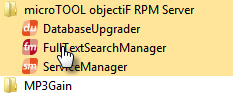
- Connect to the database and switch to the Settings tab.
- Under Action, select Rebuild, and then click Execute.
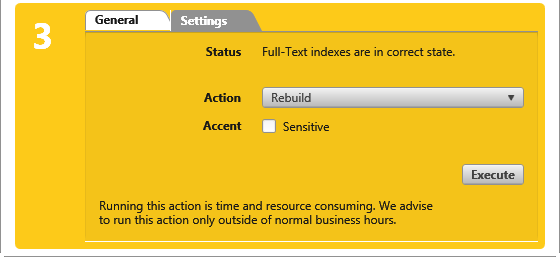
After reindexing has been completed, the Run button is grayed out.
- Close the Search Manager.