
Userboard
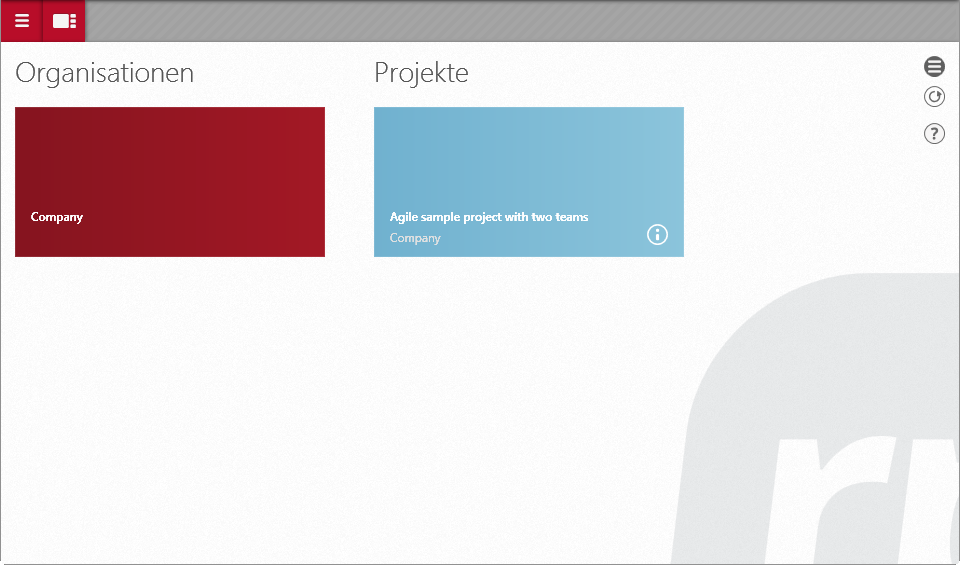
After you log in, the userboard opens. The userboard shows all organizations, projects and templates. Red tiles stand for organizations, blue tiles for projects and transparent tiles for the respective templates. The projects and organizations displayed depend on which projects and organizations you are assigned to. For a customized overview, you can choose to hide or display organizations, projects and templates.
In the properties dialog of an organization/project you can enter a description. The description will then be displayed in a tile via the i-symbol.
 |
Red tiles represent organizations. |
 |
Red semi-transparent tiles represent organizational templates. |
 |
Blue tiles represent projects. |
 |
Blue semi-transparent tiles represent project templates. |
 |
Blue-green tiles represent tutorial projects. |

Customize userboard
Click this button to access the Userboard settings. There, you can show or hide organizations, projects, or templates for display.

Update contents
This button refreshes the view after changes are made.

Opens the online help.